OpenPages Data Export
OpenPages Data Export
Here’s the high level steps, write a markdown documentation about OpenPages Data Export.
- Navigate to Integrations -> Export Data tab
- Click New Configuration
- Enter Name e.g. “
Issue Data Export”, click Next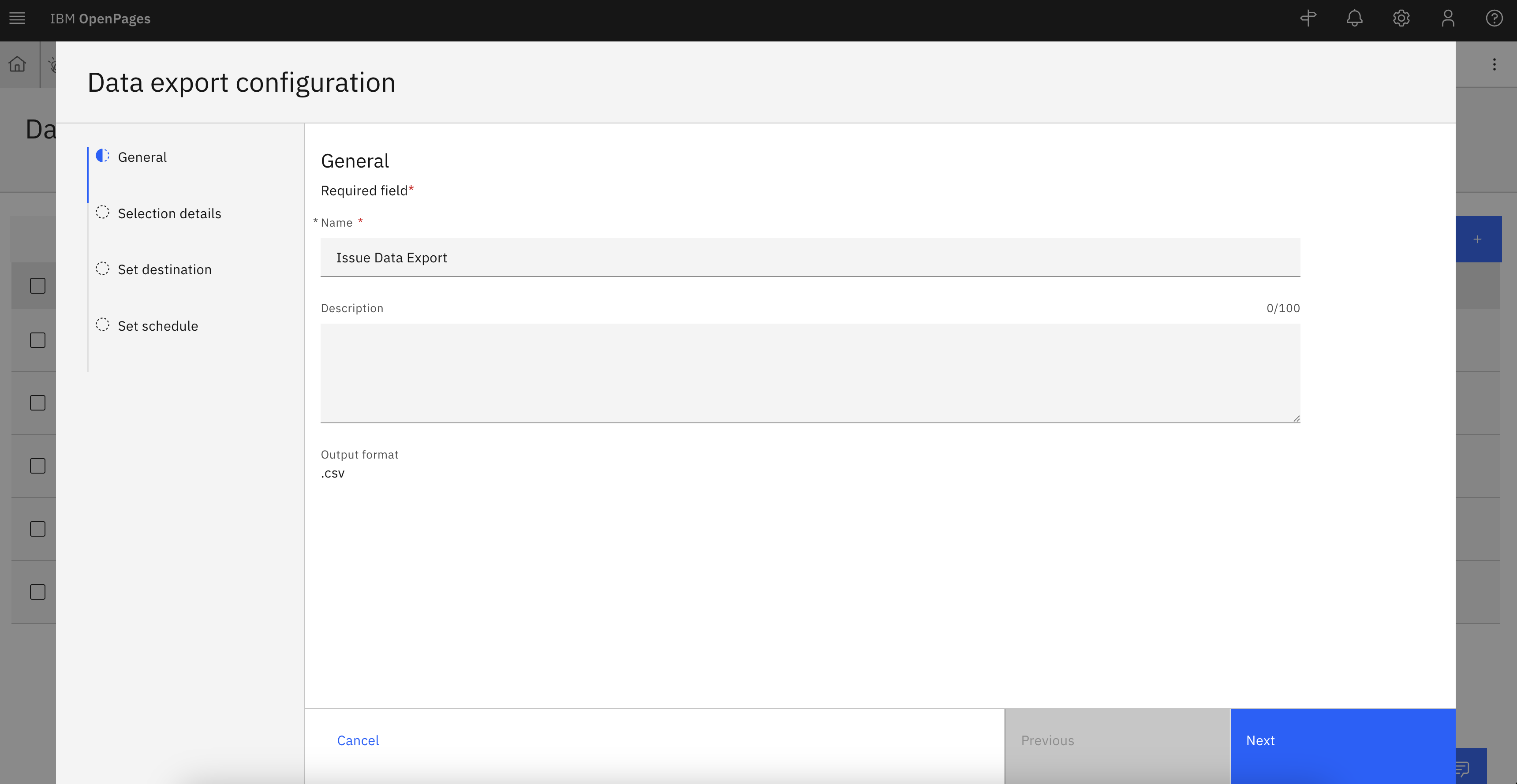
OpenPages Data Export - General
- Select Object types for data export, e.g. “
Issue”. Select locale, and folders.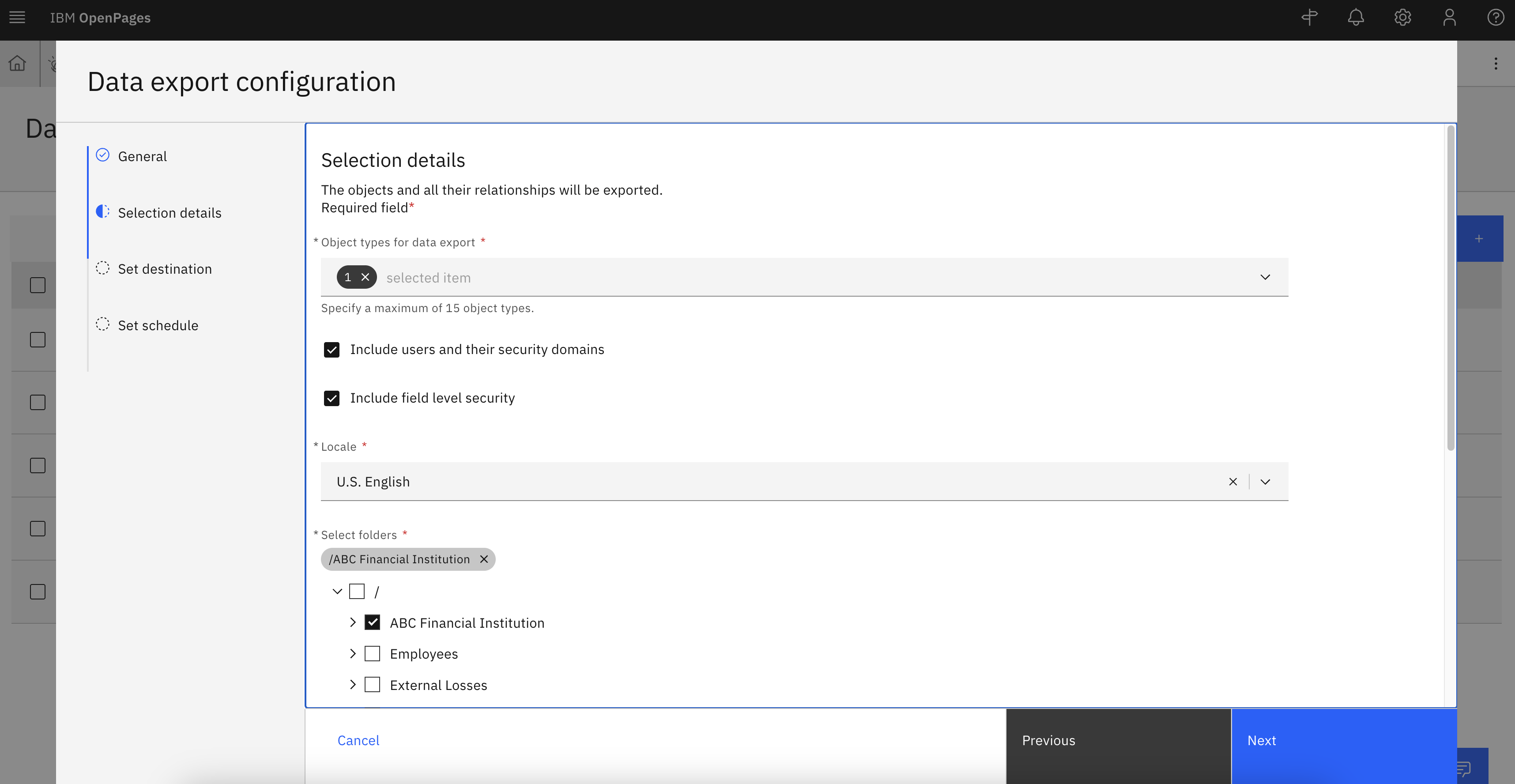
OpenPages Data Export - Selection Details
- click “Next”
Credentials for IBM Cloud Object storage
- Select destination type “IBM Cloud Object Storage”
Navigate to IBM Cloud Object storage instance to capture the following credentials
- Create Service Credentials:
- Log in to the IBM Cloud console and navigate to your instance of Object Storage.
- In the navigation bar for the instance, click “Service Credentials” tab.
- Click “New credential” and provide the necessary information. Select “Manager” role. Switch the Include HMAC Credential to On. Verify the option is switched to On before continuing.
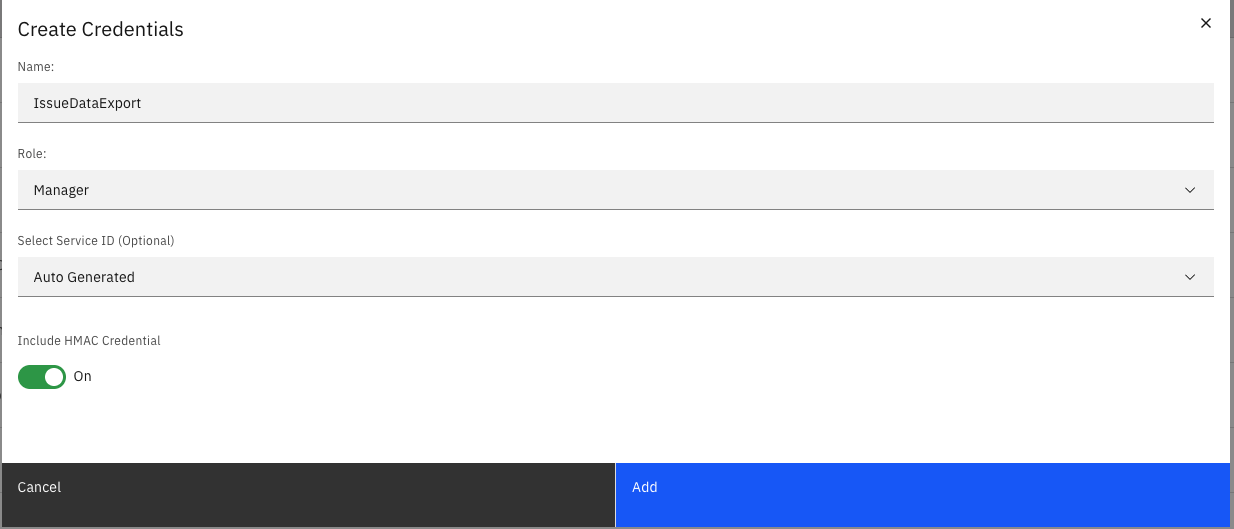
Create IBM Cloud Object Storage Service Credentials
- Click Add to generate service credential.
- Expand the service credentials details and copy the following values for OpenPages configuration
- Access key ID: cos_hmac_keys.access_key_id
- Secret Key: cos_hmac_keys.secret_access_key
- Create Bucket:
- Select the IBM Cloud Object Storage instance where you plan to create the bucket.
- Within instance, select the bucket that you’d like to connect. Then, click “Create bucket”.
- Select Create a Custom Bucket or Quickly Get Started
- Enter bucket name and configurations of the bucket.
- Once bucket created, select bucket and navigate to Configuration tab.
- Copy Public endpoint, Bucket name, Location and paste the values to OpenPages configuration
- Endpoint: add “
https://” to the beginning of the copied public endpoint,the complete url will be similar tohttps://s3.us-south.cloud-object-storage.appdomain.cloud - Bucket name
- Bucket region: e.g. “
us-south”
- Endpoint: add “
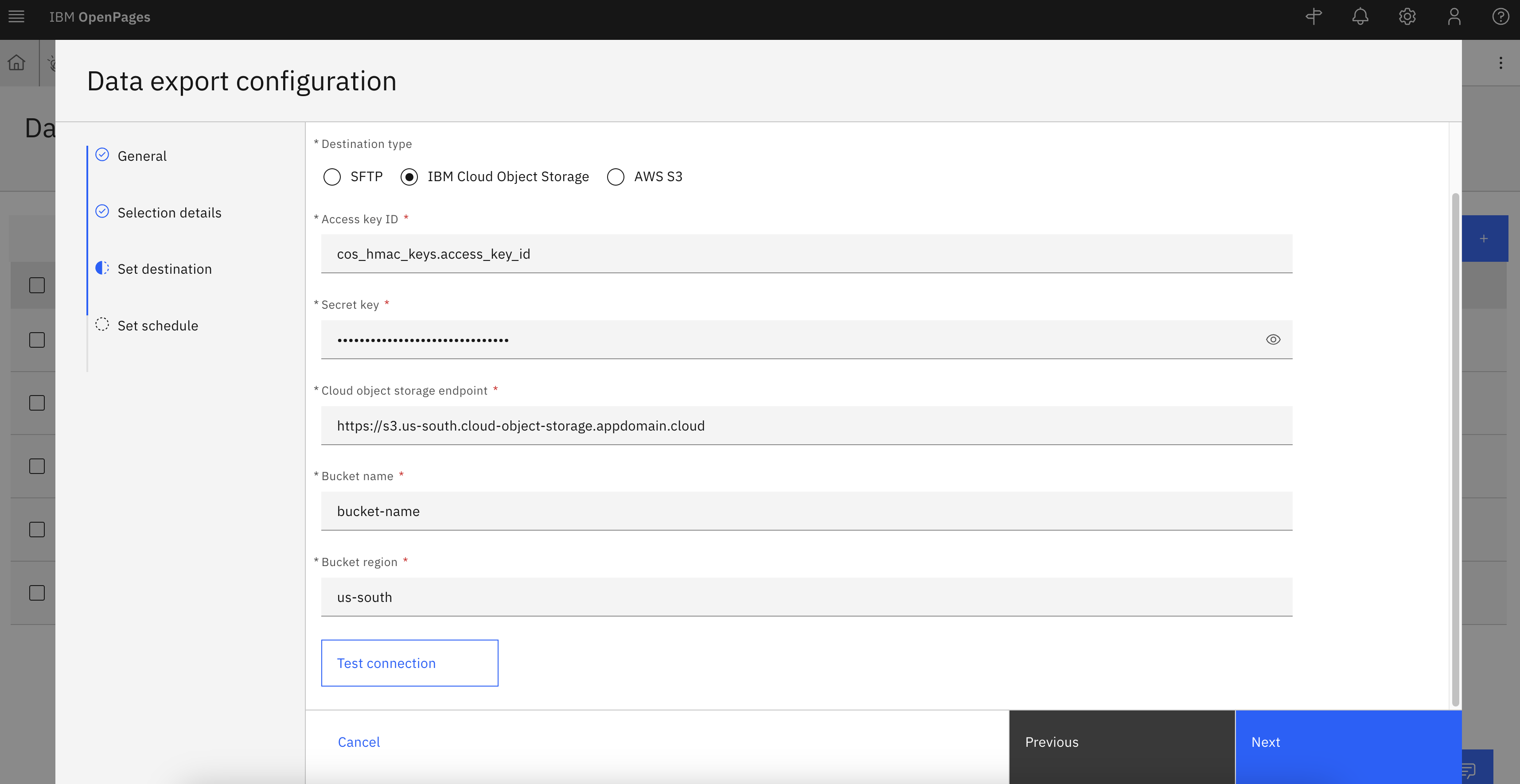
OpenPages Data Export - Set Destination
Test Connection & Setup Schedule
- Click “Test Connection” to confirm credentials are entered properly
- Click “Next”
- For set schedule, enter a name, e.g. “Daily”
- Select Recurring, set a time, and click Create
Test Data Export
- To test the connection, click on the three dots, select “Run Data Export”.
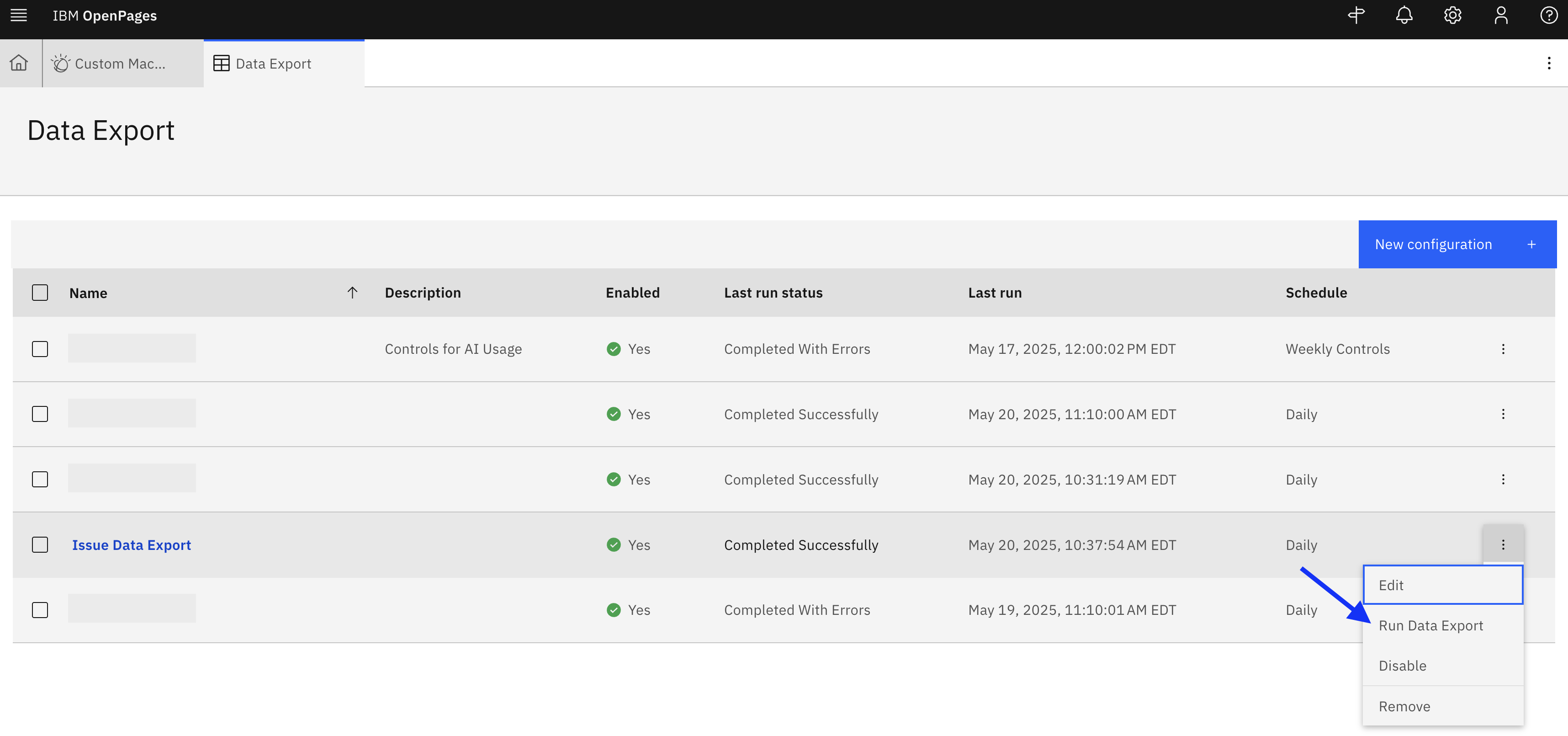
OpenPages Data Export - Run Data Export
- Last Run status will show “Completed Successfully”
- Navigate to IBM Cloud Object Storage to view data export.